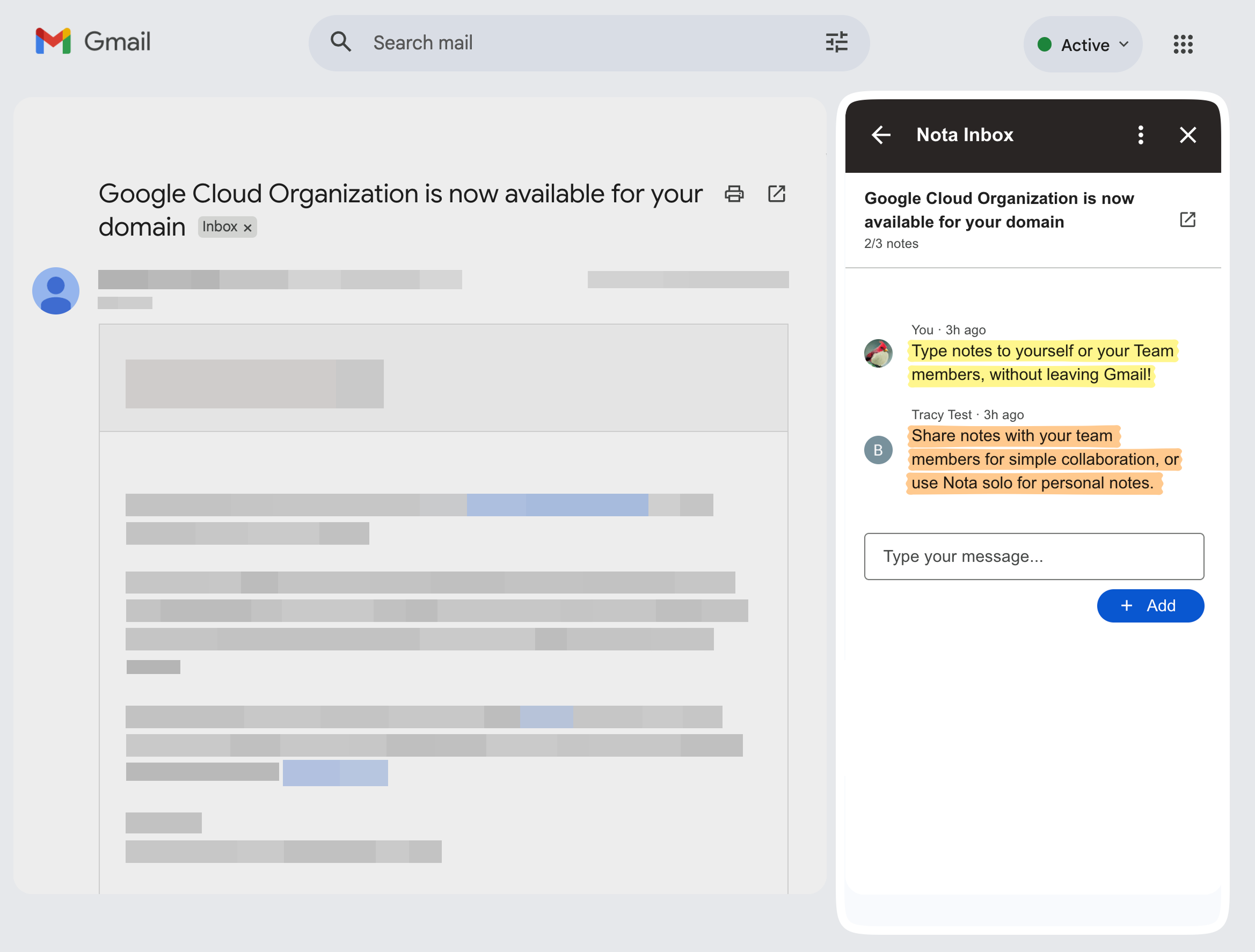
Jot down solo thoughts, or collaborate with your team, using our simple Gmail notes addon.
Simple notes for Gmail
Add notes directly to any email thread. No separate docs or spreadsheets.
Collaborate with your team...
Discuss handoffs, decisions, and next steps right next to the email — everyone sees the same context.
...Or take notes solo
Jot down personal notes next to any email. Record your thoughts for later.
Supports Desktop & Mobile
No new workflow to learn — Nota lives right inside Gmail, on both Desktop & Mobile.
Keep your inbox tidy
Stop forwarding email chains, or writing drafts to yourself. Write notes without leaving Gmail.
Easily search your notes
Find your notes quickly, without re-reading long threads.
Internal notes that never get sent
Keep private context out of replies. Notes are for you (and your team), not recipients.
Store context across time
Review the notes on an email to immediately learn what's happened previously.
Perfect for shared inboxes
Capture customer context, troubleshooting steps, and status updates where the conversation lives.
Install our free Google Workspace add-on to start adding notes to your emails.
It's easy to get started taking notes in Gmail with Nota. Just install our Google Workspace Addon, login to your account, and start jotting down private notes in Gmail. You can invite team-members to collaborate at any time.
No. Your notes are private and visible to you (or any teammates you share with). They are never added to outgoing emails.
Gmail has workarounds like Tasks or Keep, but Nota is purpose-built for notes attached to specific email threads, and supports team collaboration.
Yep! Nota works great as a solo tool too. Quickly record personal context by jotting down your thoughts on your emails.
You can disconnect anytime. Your Gmail inbox remains unchanged — notes are separate from the email body.
Yes — Nota is designed to be accessible across desktop and mobile so your notes stay with you on the go. When you install the Google Workspace Add-on, it automatically installs across all your devices.
Yes. Nota is ideal for support and shared inbox/mailbox workflows: handoffs, status updates, and internal context stay with the thread.
Yes. Search helps you quickly find decisions and context across your inbox without re-reading full threads.
If you're in a shared workspace, notes are visible to teammates in that workspace so everyone sees the same context.
Labels and stars help you organize threads. Nota adds the missing communication layer allowing you to record your thoughts for yourself or your team.